Join a workspace
Accept an invite to become a Workspace Member and start creating your own projects immediately.

Workspaces contain multiple Projects, and each Project has its own independent access control layer. This means a team can share one workspace while still keeping individual projects private or restricted, rather than everyone automatically seeing everyone else's work.
Workspaces hold your team. Projects hold your work. Every project stays private until you decide who gets in.
Accept an invite to become a Workspace Member and start creating your own projects immediately.
Every project you create is private by default, with you as the Project Owner in full control.
Assign PROJECT_EDITOR or PROJECT_VIEWER to teammates before they can open your project.
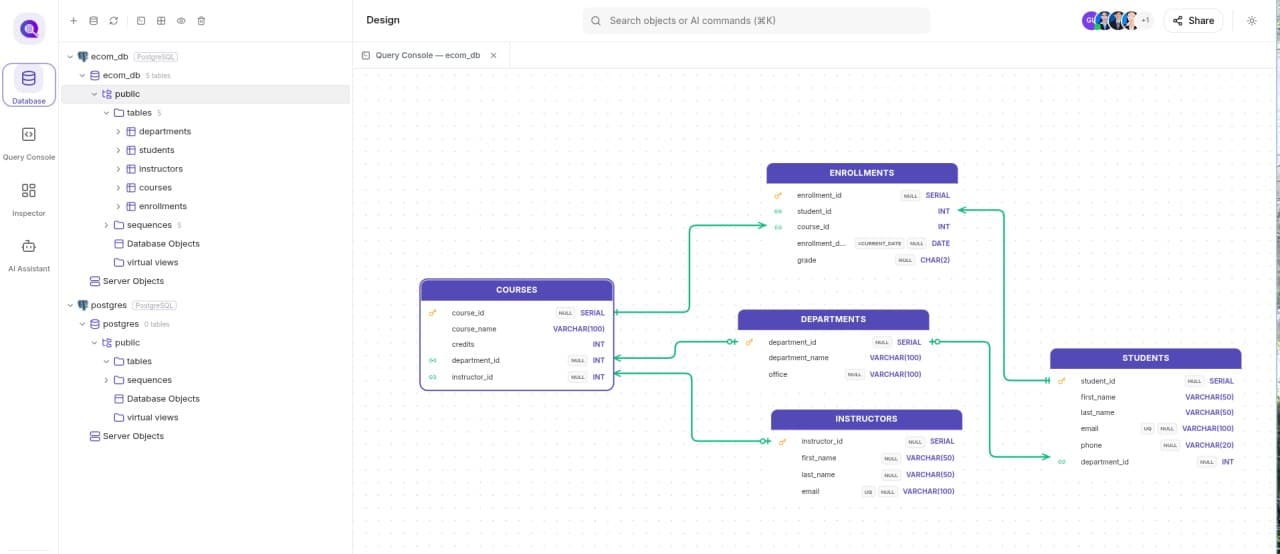
See collaborators' cursors, table moves, and ERD changes update in real time on the same canvas.
 Visual database design
Design · Connect · Collaborate