Step 01
Visual canvas
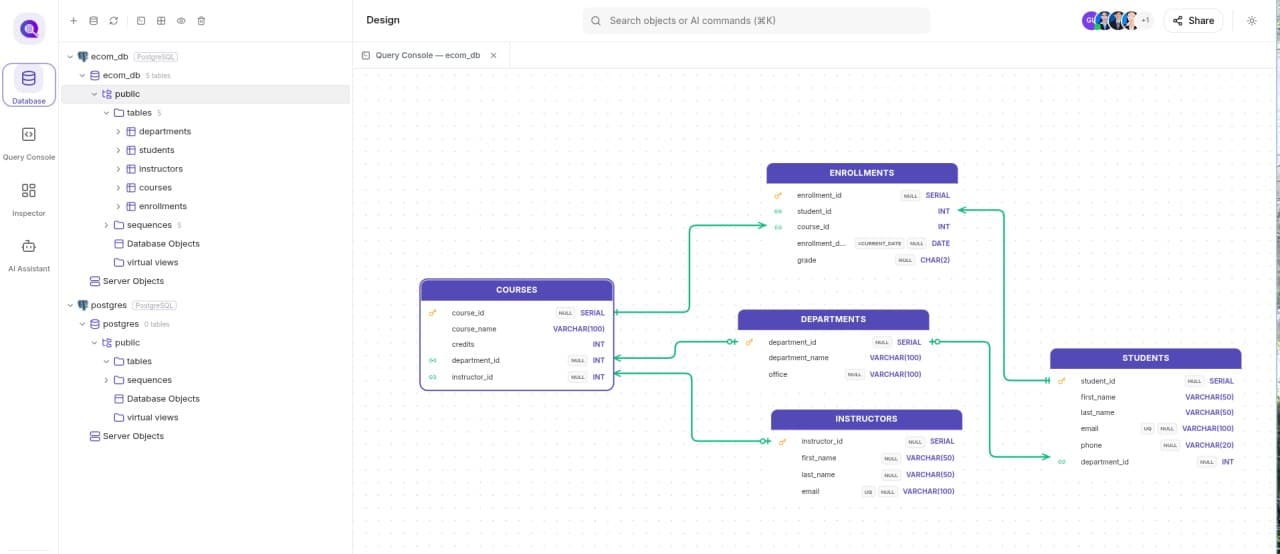
Drag and drop entities, columns, and relationships without writing SQL by hand.

Design professional database schemas visually while synchronizing SQL and DBML in real time. Experience unmatched visual depth using high-fidelity relational modeling.
From your first table to a production-ready schema, every step stays visual, synchronized, and dependable.
Drag and drop entities, columns, and relationships without writing SQL by hand.
SQL and DBML are generated automatically as you design your schema in real time.
Every relationship is checked against key constraints so broken schemas never reach production.
Rename a key or table and every linked foreign-key reference updates itself automatically.
 Visual database design
Design · Connect · Collaborate